
Product
Plan the work. Record the day. Keep the project moving.
timecue follows one working loop: set up the project, plan who does what, record what was done, then review it and take the record where it is needed. This page walks through each step with real screens from the app.
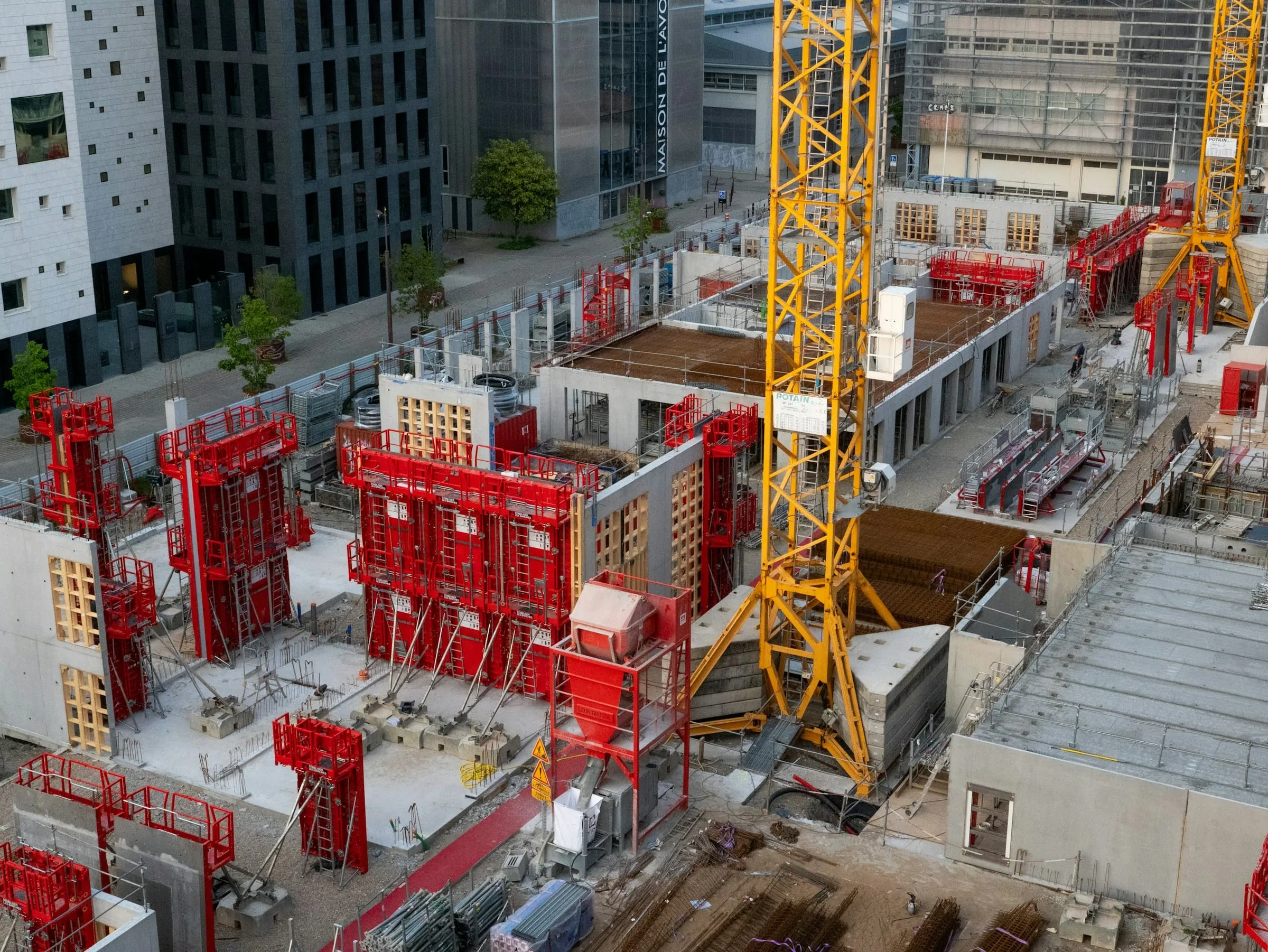
One working loop, shared by the site and the office.
Scroll to discoverInside the app
One project, five screens.
-
Every job starts as a project with its status and site address.
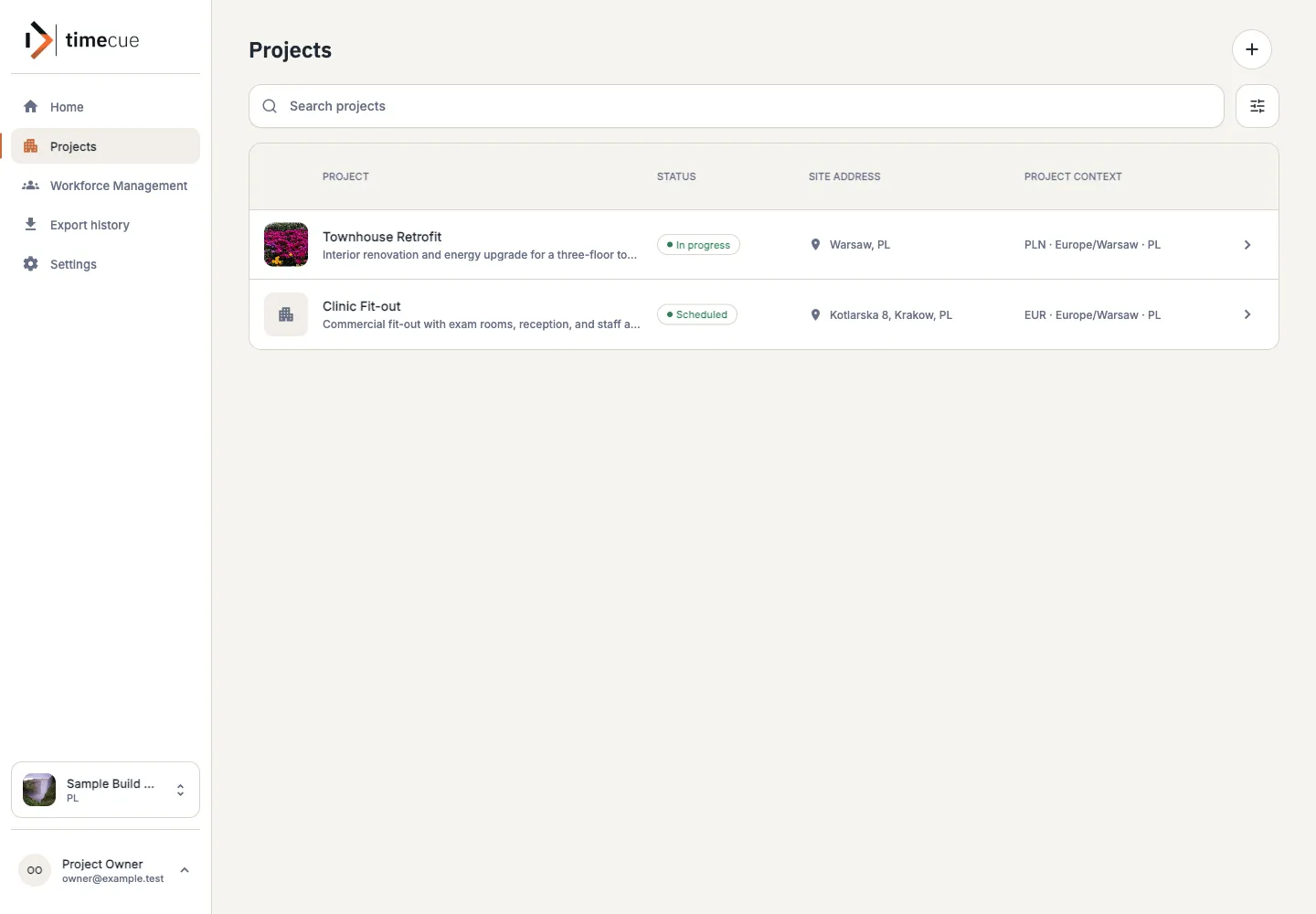
The project list shows each job with its status, site address and project context, so everyone opens the same project instead of their own version of it.
- Status: scheduled or in progress
- Site address on every project
- Search and filter the list
-
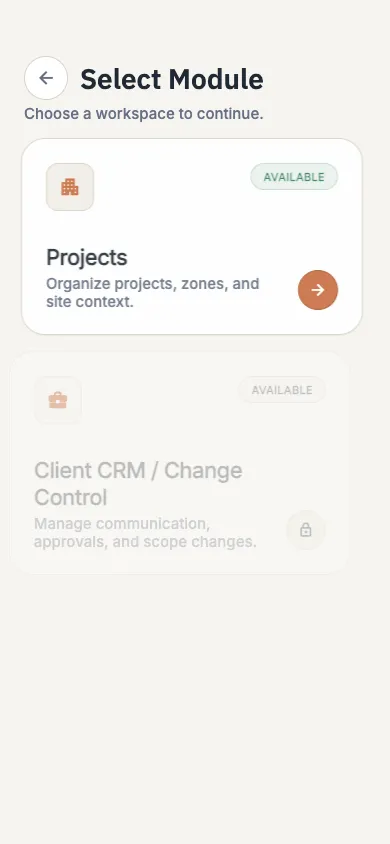
Split the project into the areas where the work happens.
Inside a project, break the job into areas such as the ground floor, the kitchen or the bathroom, and add the tasks for each one. The crew always knows which part of the building a task belongs to.
- Areas with a short scope description
- Tasks kept inside the project
- Status and location at the top
-
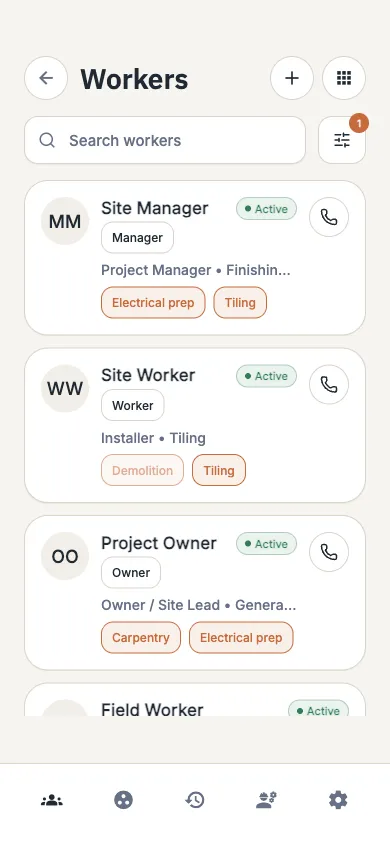
Know who is available before you assign the work.
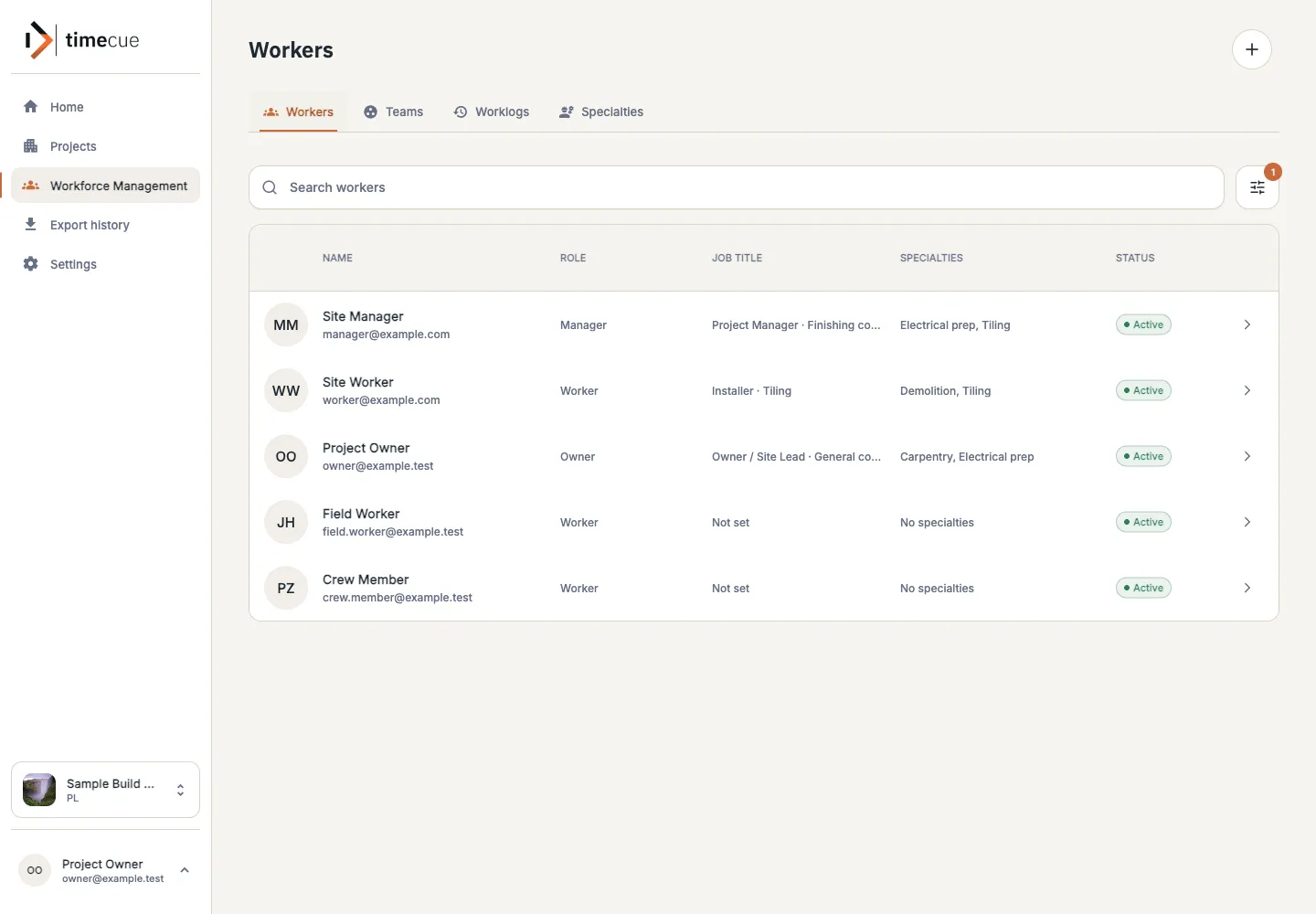
The workforce view lists your people with their role, job title and specialties. Check availability and leave, group people into teams and assign them to tasks before the day starts.
- Role, job title and specialties
- Teams for crews that work together
- Availability and leave in the plan
-
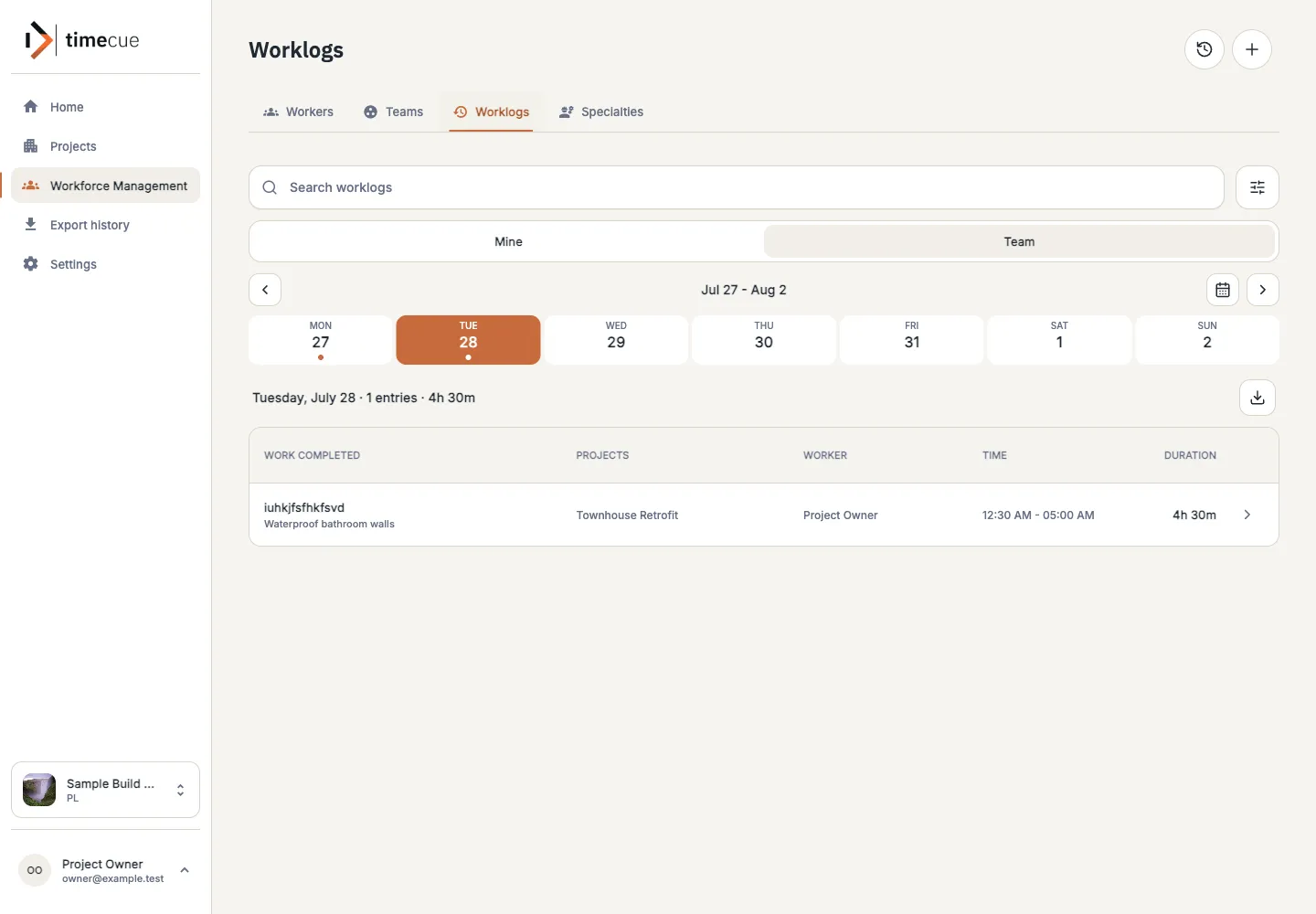
Record the day while it is still fresh.
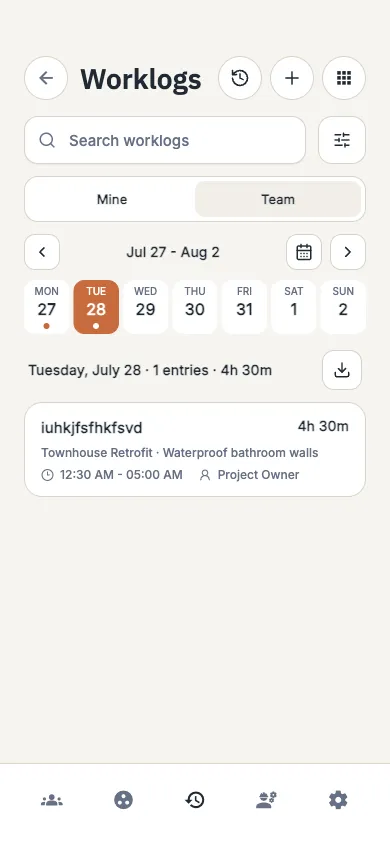
A worklog shows what was done, on which project, by whom and for how long. Look at your own entries or the whole team, day by day, so hours always come with the work behind them.
- Work done, project, worker and time
- Your own view or the team, day by day
- The day’s total at a glance
-
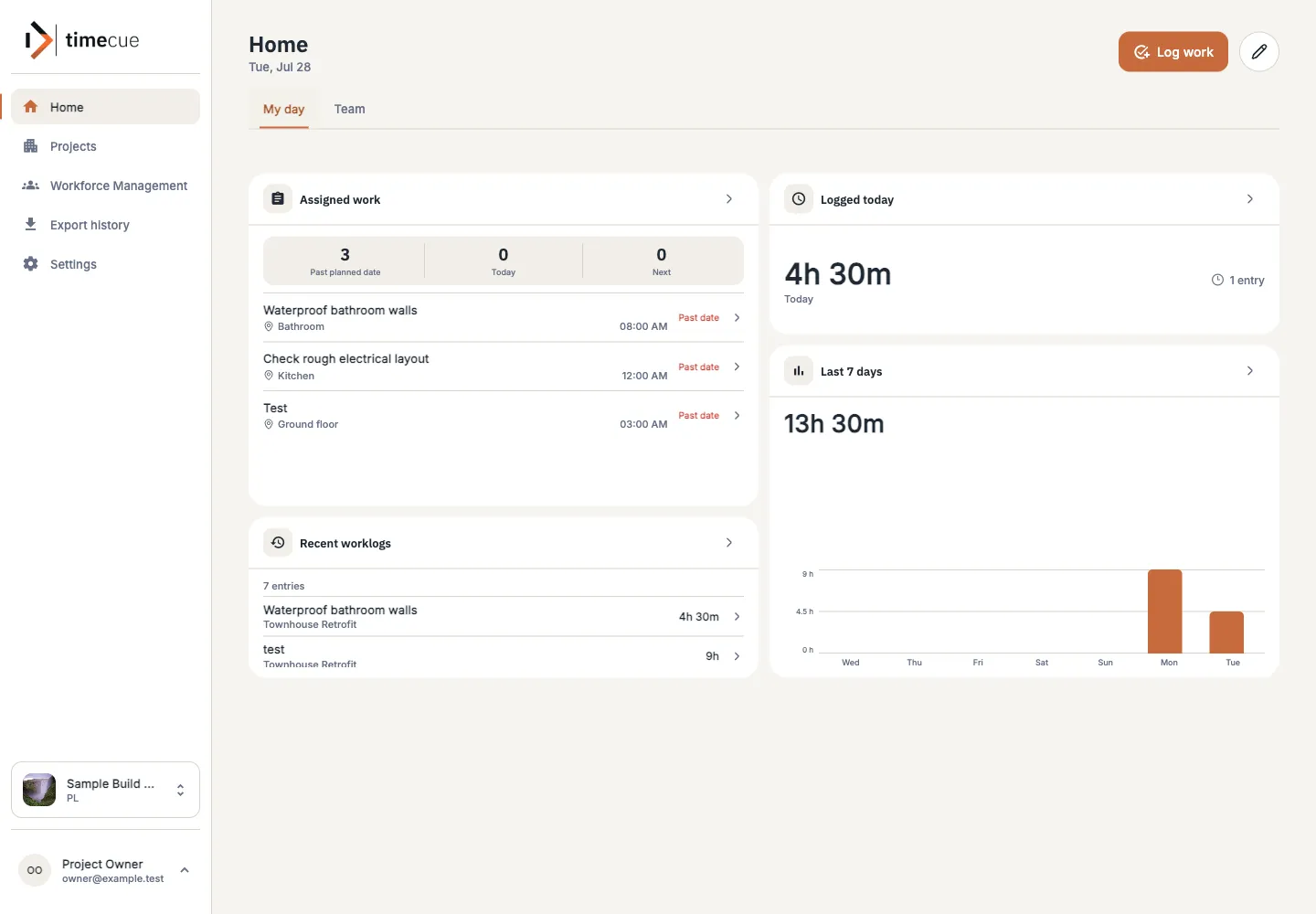
See progress without calling the site.
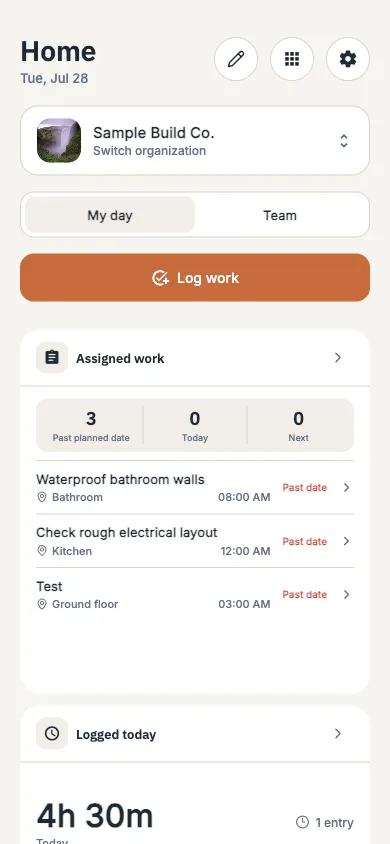
The home dashboard shows assigned work, the hours logged today and the last seven days. Project activity shows what changed on each job, so the next conversation starts from facts.
- Assigned work with planned times
- Hours today and over the last 7 days
- Recent worklogs per project

Exports
When the record has to leave the app, take it with you.
Payroll, invoice checks and client questions all need the same thing: an accurate list of the work that was done. Export the worklogs you need instead of rebuilding them in a spreadsheet.
- 01
Choose what goes in
Pick a date range and narrow it by project, task, team or worker. Owners and managers export as PDF, Excel or CSV.
- 02
Use it where you already work
Pass the export to payroll, accounting or the client without retyping hours.
- 03
Know what went out
Your exports stay in export history. Download a file again for seven days, or run it again with the same filters.

Access per role
One project. Each role sees what it needs.
Access follows the job people do. The office keeps control of the company and its projects, and the crew gets a simple view of their own work.
- 01
Worker
Sees assigned tasks and records their own worklogs.
- 02
Manager
Plans people and manages projects, tasks and worklogs.
- 03
Owner
Manages the company and everything in its projects.
Planned: CRM and client communication, project insights and site scanning are on the roadmap. They are not part of the product today, and priorities may change with pilot feedback. View the roadmap
Pilot
Try the loop on a project you are running now.
Book a meeting. We look at how you plan people, record the day and report today, show you the current product, and agree on a pilot that fits your team.
Bring one live project. We will walk the loop with you.
A pilot starts with
- 01 One project that is running now
- 02 The people who plan and do the work
- 03 One handoff you want to make simpler